Sign PDF Online
Sign PDF documents electronically in seconds. No registration required, completely free and secure.
Sign Your PDF Now
Why Pay $10-30/Month?
When You Can Sign PDFs for FREE!
Stop wasting money on expensive DocuSign, Adobe Sign, or HelloSign subscriptions. Get the same professional e-signature features absolutely FREE - No credit card, no registration, no limits!
Simple Upload Process
Get started in just one click. Simply upload your PDF and start signing immediately.
- Supports all PDF versions and formats
- No file size limits for most documents
- Instant preview and processing
Sign PDFs in Seconds
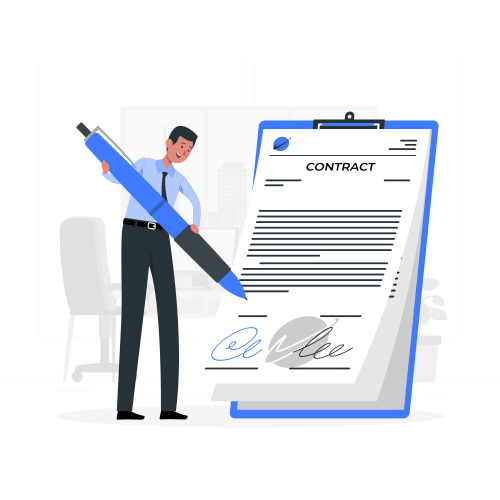
Draw, type, or upload your signature and place it on your PDF document. No complicated software or downloads needed.
- Draw signature with mouse or touchscreen
- Type your name in professional fonts
- Upload existing signature image
Encrypted & Secure
Your documents are processed entirely in your browser. Nothing is uploaded to our servers.
Complete privacy guaranteed - your PDF never leaves your device, ensuring maximum security for confidential documents.
How to Sign a PDF Document Online
Upload your PDF
Click "Choose PDF" button or drag and drop your PDF file
Create signature
Draw, type, or upload your signature
Place on document
Click on your PDF where you want to place the signature
Download signed PDF
Download your signed document instantly
Three Ways to Create Your Signature
Choose the method that works best for you - all options create professional, legally valid signatures.
Draw
Use your mouse, trackpad, or touchscreen to draw your handwritten signature naturally.
Type
Type your name and select from beautiful signature fonts for a professional appearance.
Upload
Upload an image of your existing signature scanned from paper or saved digitally.
Perfect For All Your Signing Needs
From business contracts to personal documents, sign any PDF with confidence.

Your Privacy Matters
Unlike cloud-based services that upload your documents, our tool processes everything locally in your browser.
- No files uploaded to servers
- No data collection or tracking
- 100% anonymous - no account needed
- GDPR & HIPAA friendly approach
Why Choose Our E-Sign Tool?
Lightning Fast
Sign documents in seconds with instant processing. No waiting, no delays.
Works Everywhere
Use on any device - desktop, tablet, or smartphone. No software installation needed.
Legally Binding
Electronic signatures are legally valid under ESIGN Act and eIDAS regulations.
100% Free
Completely free to use with no hidden fees, subscriptions, or account required.
Transform how you sign PDF documents with our free online PDF e-signature tool. Add legally valid electronic signatures to contracts, agreements, forms, and any PDF document directly in your browser - no software installation or registration required.
Choose from three convenient signing methods: draw your signature with mouse or touchscreen, type your name in professional signature fonts, or upload an existing signature image. Add text annotations for dates, initials, and notes anywhere on your document. Your PDF never leaves your device - all processing happens securely in your browser.
E-Sign PDF Online - Add Electronic Signatures to Documents
Sign PDF documents electronically without printing, scanning, or leaving your desk. Our browser-based e-signature tool makes it simple to add legally valid signatures to contracts, agreements, forms, and any PDF document. Choose from multiple signature methods, add text annotations, and download your signed PDF instantly - all for free with complete privacy.
Key Features
- Three signature methods: draw, type, or upload signature images
- Add text annotations for dates, names, initials, and notes
- Multi-page PDF support with page navigation
- Click-to-place signature positioning
- 100% client-side processing - no server uploads
- Works on desktop, tablet, and mobile devices
- No registration, account, or email required
- Instant download of signed PDF documents
Why Use E-Signature for PDFs?
Electronic signatures offer powerful advantages for modern document workflows:
- Time Savings: Sign documents in seconds instead of printing, signing, scanning
- Cost Reduction: Eliminate printing, paper, ink, and shipping costs
- Remote Signing: Sign from anywhere using any device with a browser
- Legally Valid: Electronic signatures are legally binding in most jurisdictions
- Environmentally Friendly: Paperless workflow reduces waste and carbon footprint
- Faster Processing: Accelerate contract approvals and business workflows
How to E-Sign a PDF Document
- Upload your PDF document using drag-and-drop or file picker
- Choose your signature method: draw with mouse/touch, type your name, or upload signature image
- Click on the PDF where you want to place your signature
- Add text annotations for dates, initials, or additional information if needed
- Download your signed PDF document instantly
Privacy & Security
Your documents and signatures never leave your device. All PDF processing, signature embedding, and document generation happen entirely in your browser using client-side JavaScript libraries (PDF.js and pdf-lib). No files are uploaded to our servers, no data is collected or stored, and no third parties have access to your documents. This is the most private and secure way to sign PDFs online.
Legal Validity of Electronic Signatures
Electronic signatures are legally recognized in most countries under laws like the ESIGN Act (USA), eIDAS (EU), and similar legislation worldwide. E-signatures created with this tool are considered legally binding for most business and personal documents. For highly regulated industries or specific legal requirements, consult with legal counsel to ensure compliance.
Frequently Asked Questions About E-Signing PDFs
Similar tools to explore
Crop PDF
Trim the margins off a PDF by setting how much to shave from each edge. The same crop hits every page, nothing gets re-rendered, and your uploaded file is deleted the moment the job finishes.
Crop PDFImage to PDF Converter
Convert JPG, PNG, WEBP, and HEIC photos into organized, paginated PDF documents with custom margins and layouts.
Convert Image to PDFCompress PDF
Pick a compression level, upload your PDF, and get a lighter file back in seconds. Scans and image-heavy files shrink the most - often by 90% or more.
Compress PDFRepair PDF
Fix corrupted or damaged PDF files that won't open properly. Recover content from broken PDFs and restore them to working condition.
Repair PDFRotate PDF
Fix sideways scans and upside-down pages in seconds. Rotate PDF pages by 90°, 180°, or 270° without losing quality or formatting.
Rotate PDFSplit PDF
Pull specific pages out of a PDF, or slice a big one into smaller files. It runs on our server, and your upload is deleted the moment the split finishes.
Split PDF