Old WMA Files Won't Convert to MP3? DRM Licenses, Corrupt Rips and What Still Works
Most old WMA files convert to MP3 without a fuss. The ones that don't usually carry a Windows Media DRM license, came from a rip that never finished, or aren't WMA at all. How to tell which one you have, and what still works for each.
Somewhere around 2004, Windows Media Player had a checkbox in its rip settings called Copy protect music. Plenty of people never touched it, and plenty of people left it ticked because it sounded responsible. Twenty years later, those are the files that refuse to become MP3s.
That's the short version of why WMA to MP3 fails. The longer version has three suspects: a DRM license tied to a computer that no longer exists, a file that got cut off or damaged somewhere along the way, and a file with a .wma name that is really something else. They look the same in a folder. They need different fixes, and one of them can't be fixed by any converter at all.
What a WMA file actually is
WMA isn't one codec. It's a wrapper. The Library of Congress, which keeps notes on file formats it may have to preserve, describes WMA as a format based on ASF (Advanced Systems Format) that wraps an audio bitstream. The bitstream inside can be one of several Microsoft codecs: plain WMA (versions 1 and 2, sometimes called WMA Standard), WMA 9 Professional, WMA 9 Lossless, and WMA Voice, which was built for speech at very low bitrates.
The ASF wrapper is also where the copy protection lives. A protected file still has a perfectly normal ASF header. Inside, the audio is encrypted, and the key comes from a separate license that Windows Media Player fetched or created when the file was made. No license, no audio. The converter sees a valid file with unreadable contents.
That distinction matters, because it explains why an old WMA file will open in a tag editor, show the right title and album, report the right length, and still fail the moment anything tries to decode it.
The three reasons WMA to MP3 fails
Here's how the usual cases line up. The middle column is the part worth checking before you spend any time on a fix.
| What you have | How to spot it | Can it become an MP3? |
|---|---|---|
| Plain WMA, Pro, Lossless or Voice, unprotected | Plays on any PC, Protected shows No | Yes, all four decode normally |
| CD rip made with Copy protect music ticked | Protected shows Yes, you ripped it yourself | Yes, after Microsoft's own tool removes the protection |
| Track bought or rented from an old WMA store | Protected shows Yes, came from a download store or subscription | Only if a working license still exists on some PC |
| Truncated or damaged rip | Stops early, skips, or the size is far too small for its length | The readable part usually can, the rest is gone |
| Not really WMA | Renamed MP3 or video, or a 0-byte file | Rename it back or use the right tool |
DRM is by far the most common blocker for files from that era. Corruption is second. The misnamed file is rare but it wastes the most time, because people keep trying converter after converter on a file that was never the format they think it is.
How to tell if a WMA file is DRM protected
You don't have to guess. Every WMA file says in its header whether it's protected, and Windows shows that as a Protected value in three easy places.
In Windows Media Player
Open the library, right-click any column header and turn on the Protected column. The University of Houston's support desk still has a page walking through how to check the Protected column in Windows Media Player and in file properties, written for older versions of Windows, and the idea hasn't changed. Sort by that column and you'll see the whole problem at once, which is handy when you have a few thousand tracks and suspect only some are locked.
In File Explorer
Right-click the file, choose Properties, then look at the Details tab on current Windows (the Summary tab on XP). Under the media section there's a Protected line that reads Yes or No. You can also add Protected as a column in Explorer's Details view and sort a whole folder by it.
With FFmpeg
If you're on a Mac or Linux box where Windows Media Player isn't an option, run ffmpeg -i song.wma and read the output. FFmpeg's ASF reader prints a warning when it finds the encryption marker in the header: DRM protected stream detected, decoding will likely fail. The extended version says Ext DRM protected stream detected. Either one settles the question. If neither shows up and the file still fails, you're looking at damage, not DRM.
Ripped your own CDs with copy protection on
This is the good case. If the Protected flag says Yes and you made the files yourself from your own discs, Microsoft publishes a free app for exactly this. Its Store listing says the Digital Rights Update Tool removes the copy protection you added when ripping CDs to the .wma format from within Windows Media Player, and that other forms of copy protection cannot be removed.
Two catches. It has to run on a Windows PC where those licenses are still valid, which usually means the computer that did the ripping or one the library was properly moved to. And it only knows about rip protection. Store-bought tracks are outside what it does, so they stay locked. When it does work, the files keep their WMA format and lose the lock, and from there they convert like any other WMA.
If the original PC is long gone, the honest fix is the disc itself. Rip the CD again, this time straight to MP3 or to FLAC if you want something lossless to keep. It's slower than converting, but it's the only route that gives you a clean file without the old license.
WMA from old music stores and subscriptions
This is where the bad news lives. During the 2000s a lot of online stores and subscription services sold or rented music as protected WMA, and each track depended on a license server run by that store. Subscription tracks were designed to stop playing once you stopped paying. Purchased tracks were tied to a number of computers you could authorize.
A converter can't do anything with these. It doesn't matter which one you use, online or desktop, free or paid. The audio is encrypted, and the key isn't in the file. If one of your old PCs still plays the tracks, the license is alive there, and whatever export or burn option that player offered is your best shot. Burning to an audio CD and ripping the CD again was the method the stores themselves tolerated back then, though not every license allowed it.
I'll skip the DRM cracking utilities that float around forums. In many countries, breaking copy protection is against the law even for music you paid for, and half of those downloads bundle things you don't want on your machine. For most people the cheaper answer is a few dollars to buy the album again in an unprotected format, or a streaming service that already has it.
When an old WMA file is corrupt
Damaged WMA files behave differently from protected ones. They often play for a while and then stop, or skip, or report a length that doesn't match what you hear. Common causes are a rip that was interrupted, a download that never finished, a dying hard drive, and old file-sharing copies that were broken before they reached you.
A quick sanity check is the file size. A 192 kbps track runs about 1.4 MB per minute, so a four-minute song at that rate should be close to 6 MB. If Explorer shows 300 KB, most of the song simply isn't there, and no converter can put it back.
When only part of the file is damaged, FFmpeg will often decode everything up to the broken point and stop. That gives you an MP3 of the readable portion, which is sometimes the whole song minus a second of noise at the end and sometimes thirty seconds of a five-minute track. Play the result before you delete the original.
Our own WMA converter runs FFmpeg on the server. When FFmpeg can't read the data, the page says the conversion failed and asks you to try again. If that happens on a file whose Protected value is No, you're almost certainly holding a damaged file rather than a locked one.
Files that aren't really WMA
Every so often a .wma file is something else in disguise. Someone renamed an MP3 years ago to make it open in a particular player, or a video clip in the same ASF wrapper got saved with an audio extension, or a sync went wrong and left a 0-byte placeholder. Media players are forgiving and often play these anyway, which is how they survive unnoticed.
Converters are less forgiving. Ours checks the actual file content against the expected WMA type when you upload, and a file that turns out to be an MP3 underneath gets rejected straight away with a request to choose a valid audio file. Open the file in a tool that reads the real format (MediaInfo does it well), and if it's already an MP3, just change the extension. You're done.
What converting WMA to MP3 actually does to the sound
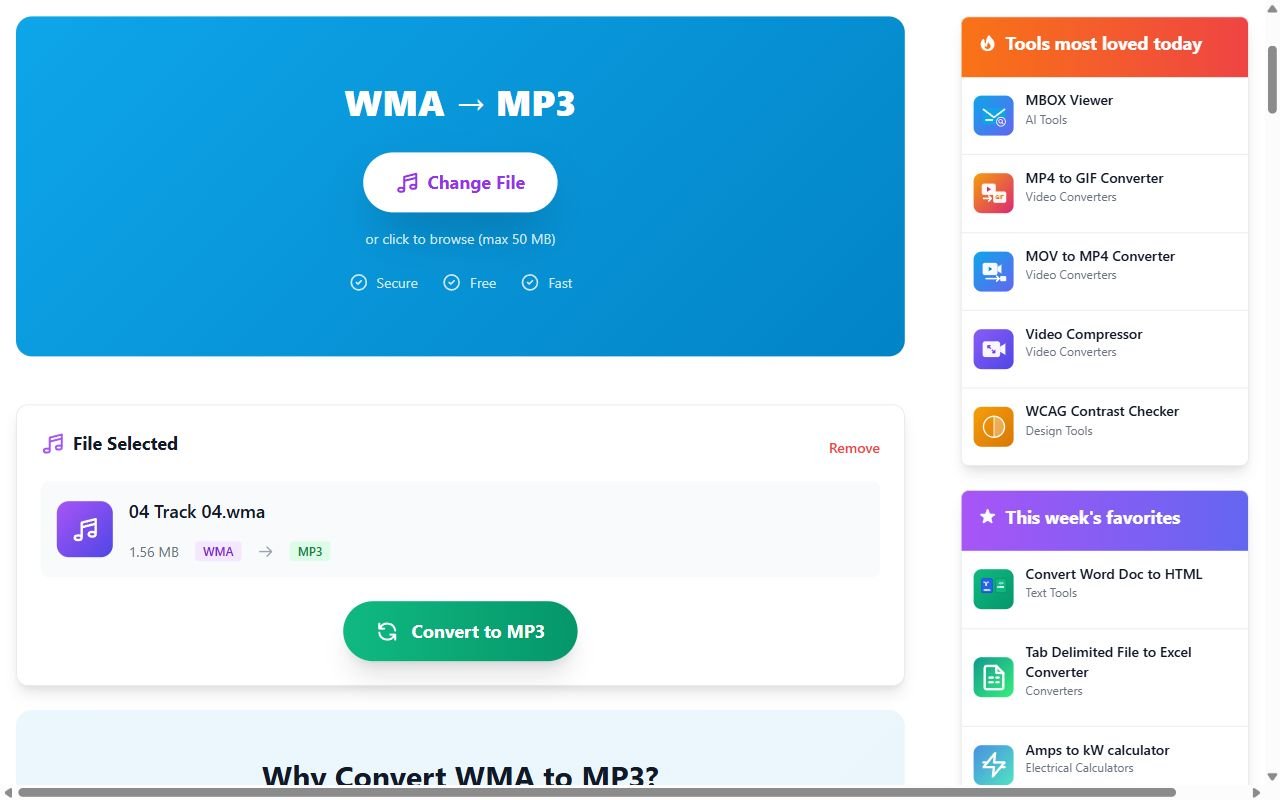
For the files that are fine, converting is the easy part. On our side, the WMA to MP3 converter hands the upload to FFmpeg, which decodes all four WMA codecs, and encodes the MP3 with the LAME encoder at its quality 2 VBR setting. That's variable bitrate, so a busy rock track gets more bits than a quiet spoken intro. Title and artist tags come across with the audio. Embedded album art doesn't, because the converter drops picture streams on purpose. Uploads up to 50 MB are accepted, which covers a very long album track at any normal bitrate, and the uploaded file is deleted once the job finishes, whether it worked or not.
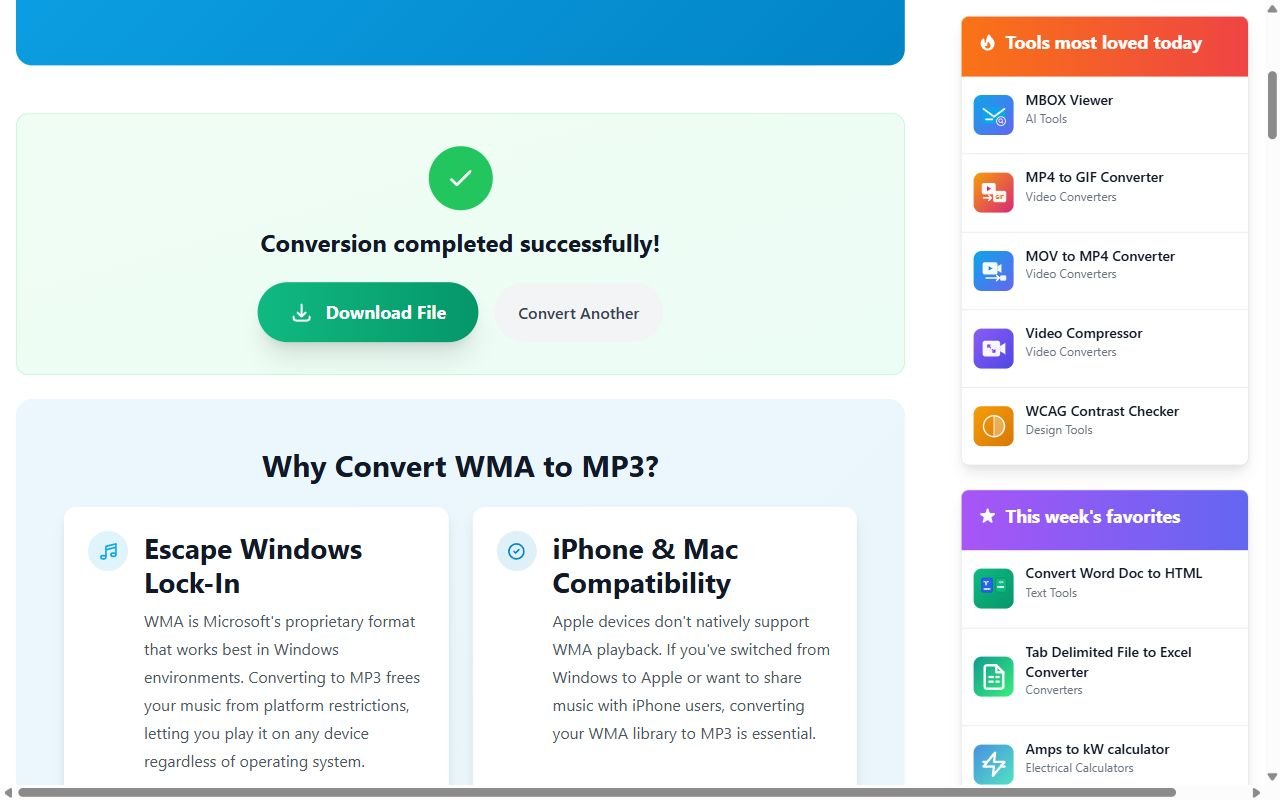
Keep in mind that this is lossy to lossy. A 64 kbps WMA from an early rip won't sound any better as an MP3. It'll sound about the same, sometimes very slightly worse. Converting doesn't add back what the first encoder threw away.
WMA Lossless is the one variant where I'd think twice. Those files are exact copies of the CD audio, and MP3 throws that away. If the goal is just to play them on a phone, go ahead. If they're your only copy of an album, keep the WMA Lossless originals somewhere safe and treat the MP3s as the convenient version, not the archive.
A sensible order for a big WMA library
If you're facing a whole folder from an old PC, here's the order that wastes the least time:
- Add the Protected column and sort. Set the protected files aside.
- Convert everything unprotected. That's usually most of the library.
- For protected tracks you ripped yourself, run the Digital Rights Update Tool on a PC that still holds the licenses, then convert.
- For store-bought protected tracks, check whether any old PC still plays them. If not, they're gone, and buying or streaming is the realistic fix.
- Anything left that fails with a Protected value of No is damaged or misnamed. Check the size, check the real format, re-rip from the disc if you still have it.
Most people find the scary pile is smaller than they expected. The tracks that can't be rescued tend to be the ones bought from a store that's long closed, and honestly, those were never fully yours to begin with.